macOS · Node, Bun, Deno, pnpm, yarn
Which of your projects run on an end-of-life runtime?
Every version manager tells you which version you are on. runtly also tells you which versions stopped getting security patches, which projects are on them — and which of those anyone still works on.
or, the command line only
$curl -fsSL https://runtly.flatium.com/download | sh$ rt auditruntly audit7 projects, 1 runtime versions examined · data fetched 3 minutes agoactive project, unsupported runtime node 18.20.4 EOL 502d ago medium medium CVE-2025-23085 GOAWAY HTTP/2 frames cause memory leak outside heap https://nodejs.org/en/blog/vulnerability/january-2025-security-releases/ /Users/you/code/billing-worker /Users/you/code/checkout-api /Users/you/code/docs-site and 4 more 4 of 7 committed to in the last 90 days, 4 inherit the global default → rt install node@18.20.6 → rt use node@18.20.6 (4 project(s) inherit the default and are fixed by this alone)runtly audit examines the runtime, not your dependency tree. It does not replace `npm audit`.01The problem
A version manager knows the number. It does not know the risk.
nvm use and its relatives answer one question: which version is active right now. That question is settled the moment it is asked, and it says nothing about whether the version still receives patches.
So the answer usually arrives from outside: a compliance questionnaire, a client security review, a vendor form asking which Node versions are in production. By then the list has to be assembled by hand — every repository opened, every .nvmrc read, every version looked up against a support calendar.
runtly keeps that list. It knows which versions are installed, which projects resolve to them, when each of those projects was last committed to, and what the published advisories say about each version.
02The audit
The audit
rt audit looks at every project it has scanned and reports the runtime versions behind them.
Findings are ordered by what deserves attention first
These are the labels the tool prints, in the order it prints them.
- 01
active project, known vulnerability
A project committed to in the last 90 days, running a version with a published advisory.
- 02
active project, unsupported runtime
A project still being worked on, running a version that no longer receives security patches.
- 03
critical vulnerability
A critical advisory anywhere on the machine, whether or not the project is active.
- 04
losing security support soon
A version approaching end of life, while there is still time to plan the move.
- 05
dormant project on an old runtime
Untouched for 90 days or more. Reported, but collapsed by default — it is not what you should fix this afternoon.
The smallest upgrade that clears every advisory
The recommendation is a version, not a major. For Node 18.20.4 with the January 2025 advisory outstanding, that is 18.20.6 — not "move to 22". Someone held on Node 18 by a client contract cannot act on the second, and can act on the first this afternoon.
Where projects inherit the global default rather than pinning a version, runtly says so and adds the one command that fixes all of them at once.
It exits non-zero, so it belongs in CI
rt audit --fail-on=critical returns a failing exit status when a finding meets the threshold. --fail-on also takes high, medium, low, eol and never. --json prints the whole report for anything that wants to read it.
$ rt audit --fail-on=eol$ echo $?1Offline, and honest about it
The advisory data is cached for 24 hours, so an audit works on a plane. Every report states how old its data is, in the second line — data fetched 3 minutes ago, or 9 hours ago.
Where the data comes from
- endoflife.date
- Support and end-of-life calendars.
- Node.js Security WG
- The Node.js Security Working Group vulnerability database.
- OSV.dev
- The open source vulnerability database.
03Resolution
Resolution
runtly walks up from the working directory and takes the first answer it finds. The rule is that proximity wins: a nearby file of low priority beats a distant file of high priority, so a workspace member overrides its monorepo root rather than the other way round.
| # | File | Notes |
|---|---|---|
| 1 | 1.runtlyrc | runtly's own file. Written by rt pin. |
| 2 | 2.nvmrc | Read as-is, so an existing repository needs no changes. |
| 3 | 3.node-version / .bun-version | The single-runtime conventions. |
| 4 | 4.tool-versions | asdf and mise projects. |
| 5 | 5package.json → packageManager | Corepack’s field, for pnpm and yarn. |
| 6 | 6package.json → engines | Ranges are resolved against installed versions; the highest match wins. |
A constraint it cannot satisfy is an error, never a fallback
If a project asks for a version that is not installed, runtly stops and says so. It does not quietly run whatever happens to be on PATH. That silent substitution is exactly the failure that becomes "it passes locally and fails in CI" a week later.
$ node --versionerror: this directory requires node `20.99.0`, and no installed version satisfies it. Declared in: /Users/you/code/bad/.nvmrc (.nvmrc) Install one: rt install node@20.99.0rt current names the file that decided it
The answer to "why am I on the wrong version?" is a path, and the tool prints the path.
$ rt current/Users/you/code/mono/packages/web runtime version source node 18.20.4 /Users/you/code/mono/packages/web/.nvmrc (.nvmrc)04Speed
Speed
The shim runs before every node invocation, so it has to cost nothing. Measured with hyperfine over 500 runs.
A do-nothing Rust binary that only calls exec | 1.9 ms |
|---|---|
The runtly shim, resolving and then calling exec | 1.9 ms |
The resolution work is free. What is left is macOS’s own price for starting a process, and nothing can remove it.
05The app
The app
One shared core underneath a CLI and a GUI, so the two cannot disagree about what is installed or what is at risk. A menu bar item switches versions without opening the window.
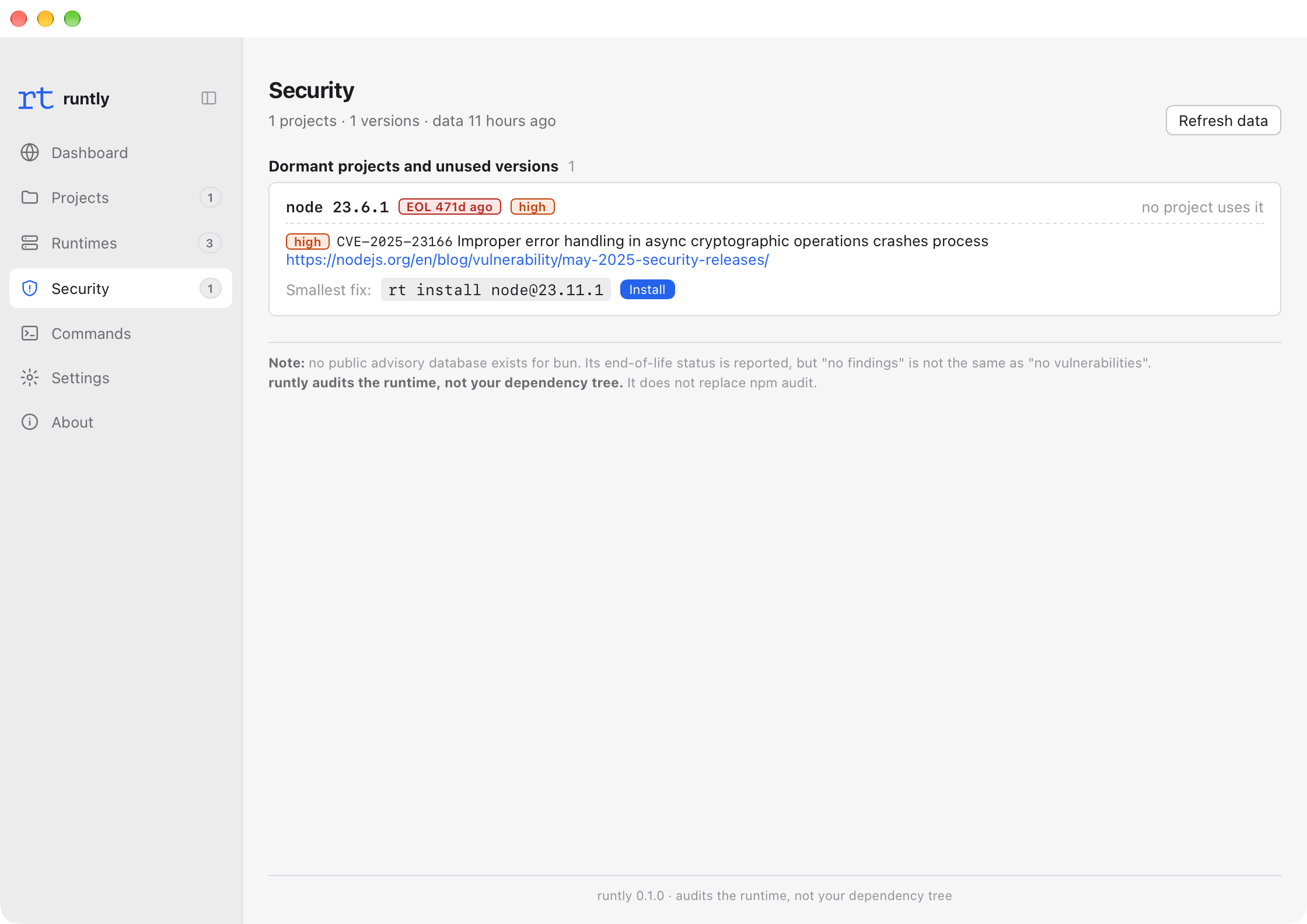
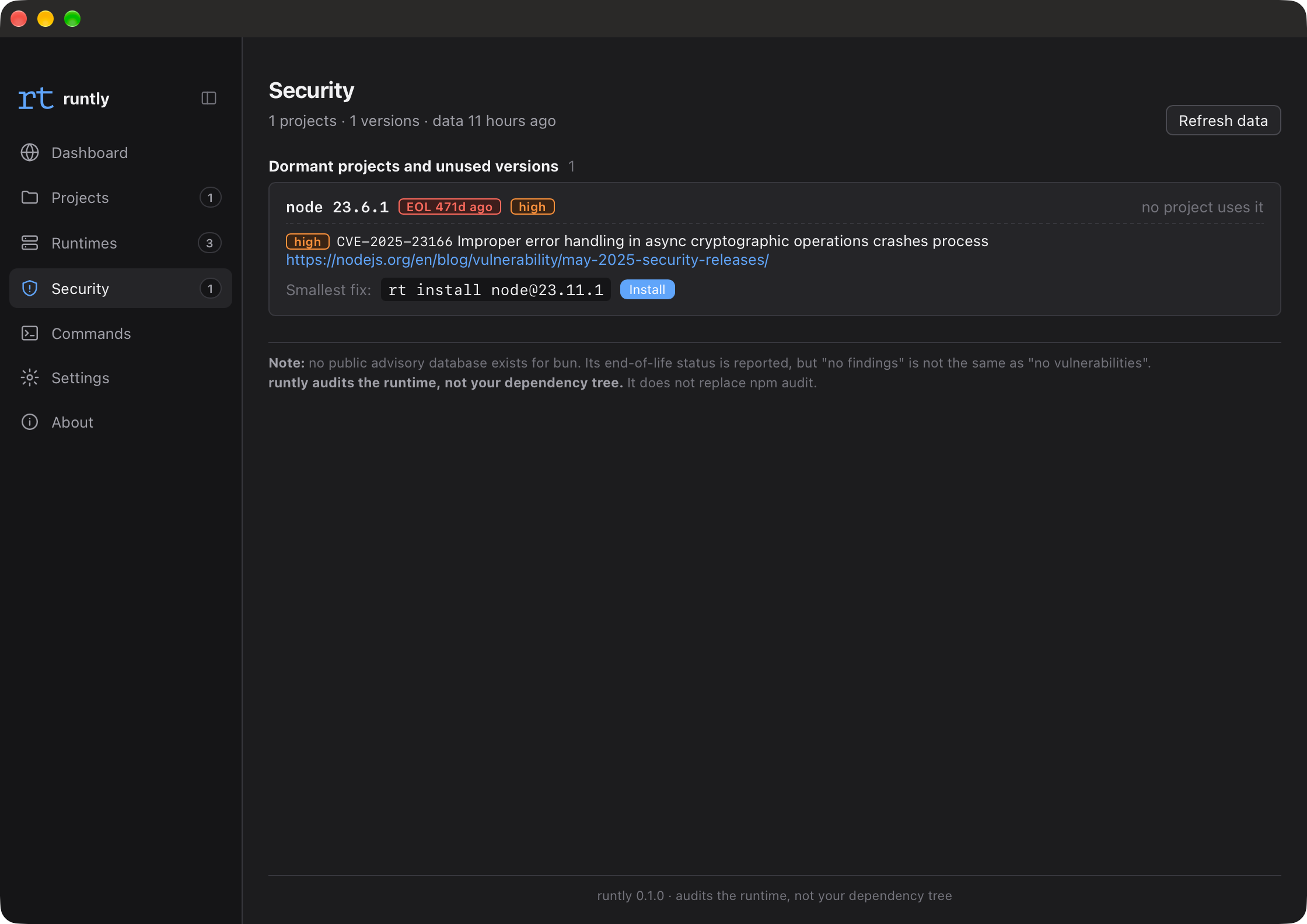
Security
Every version in use, its support state, and the projects behind it.
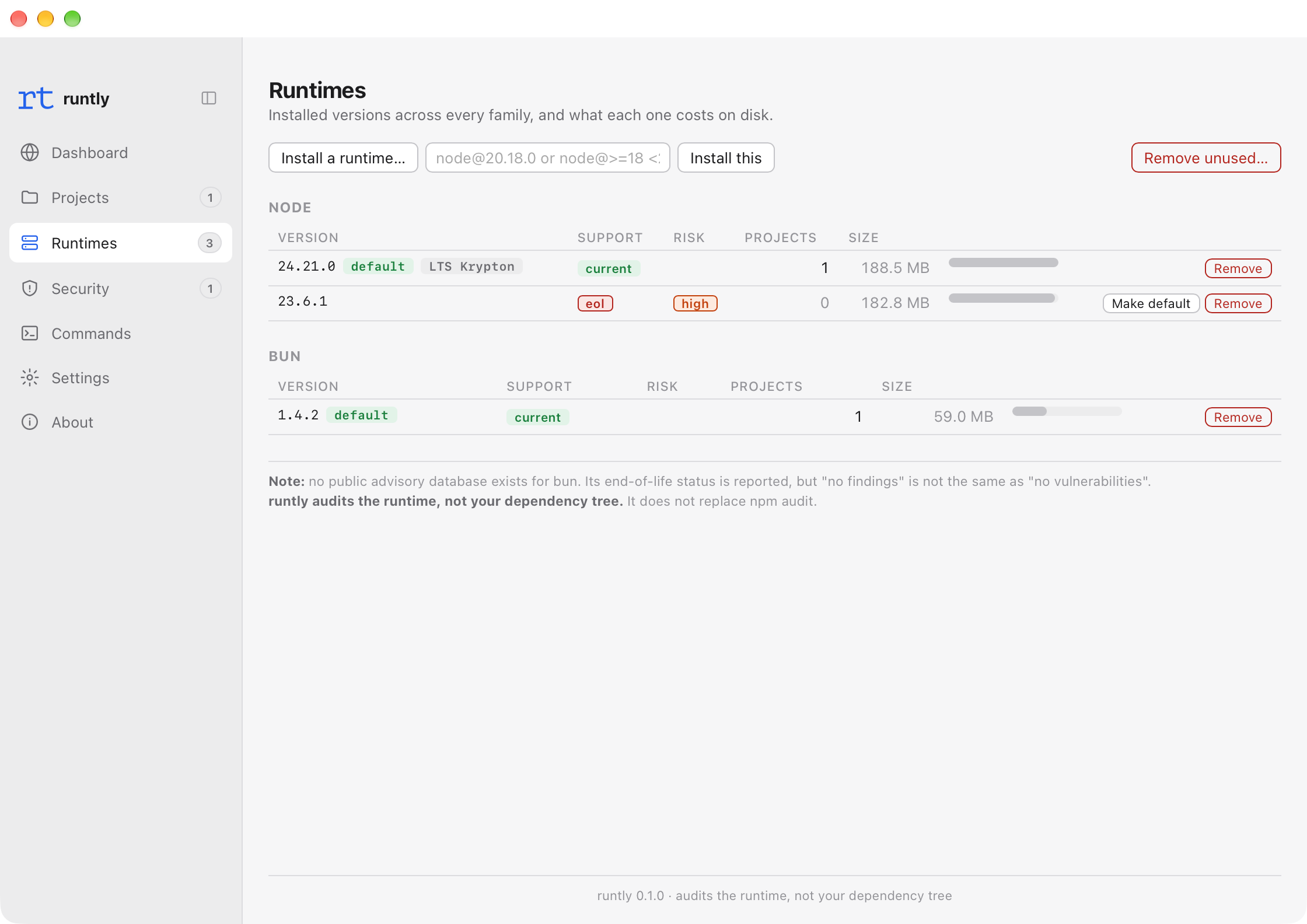
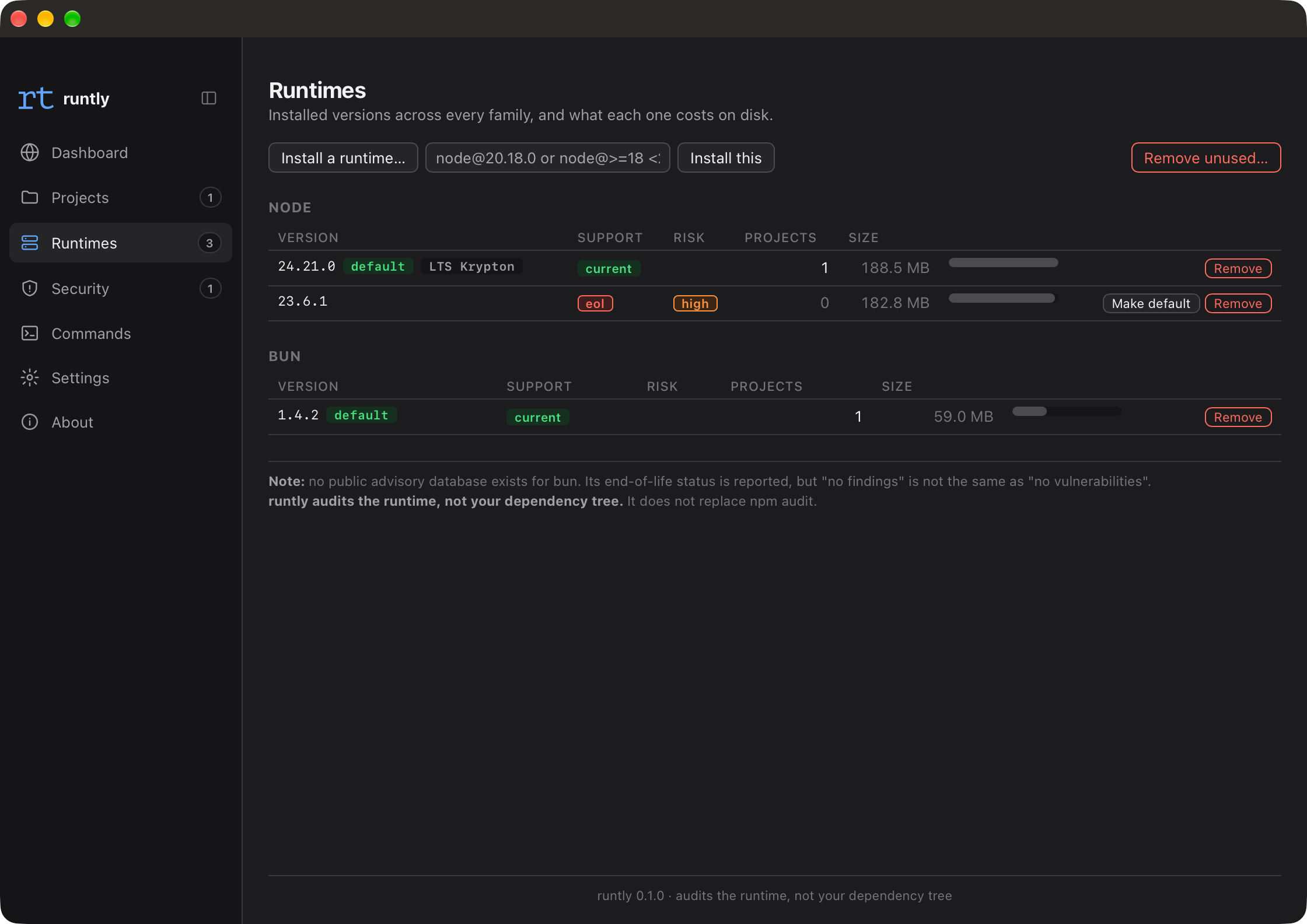
Runtimes
Installed versions for Node, Bun, Deno, pnpm and yarn, with what is available upstream.
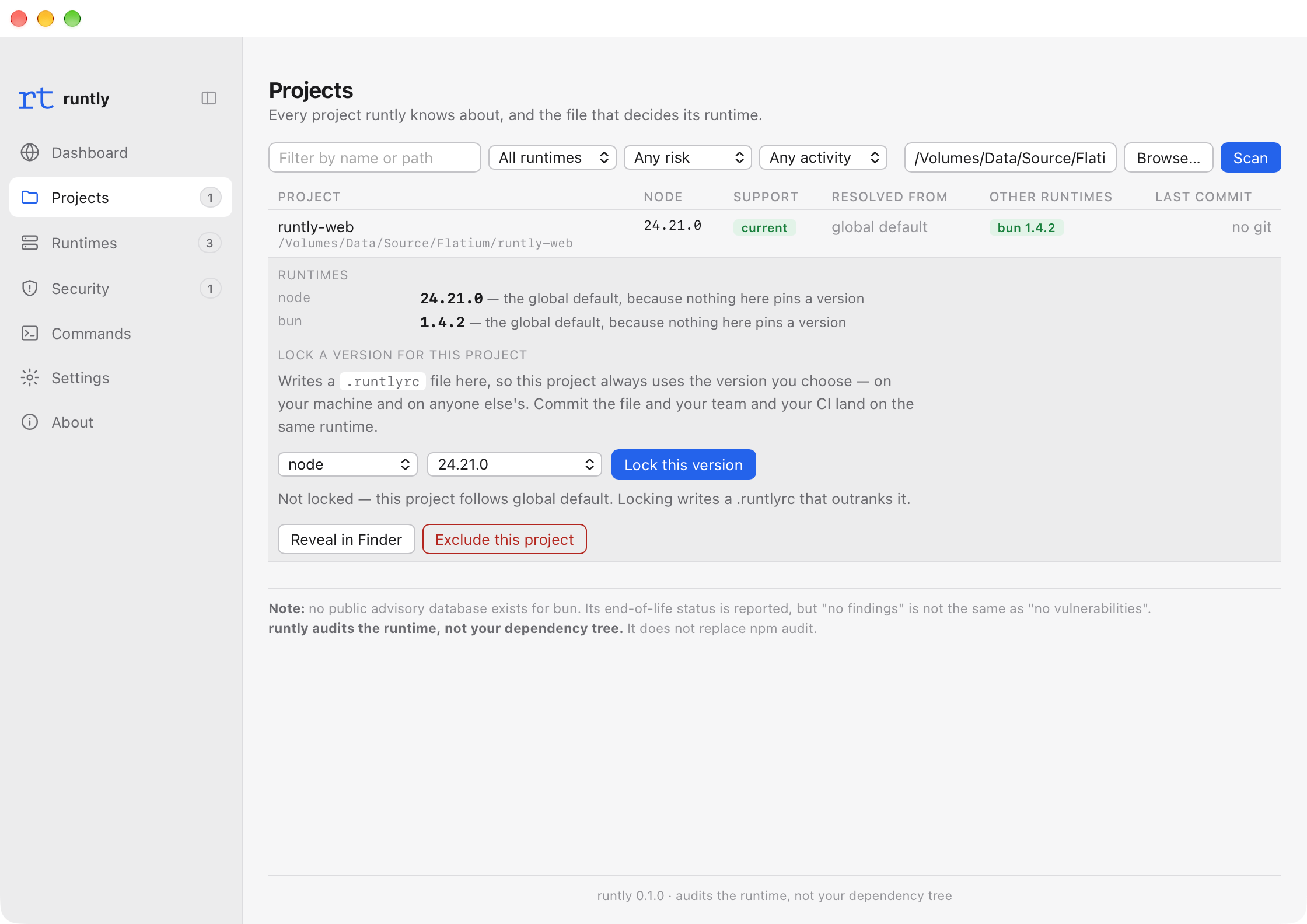
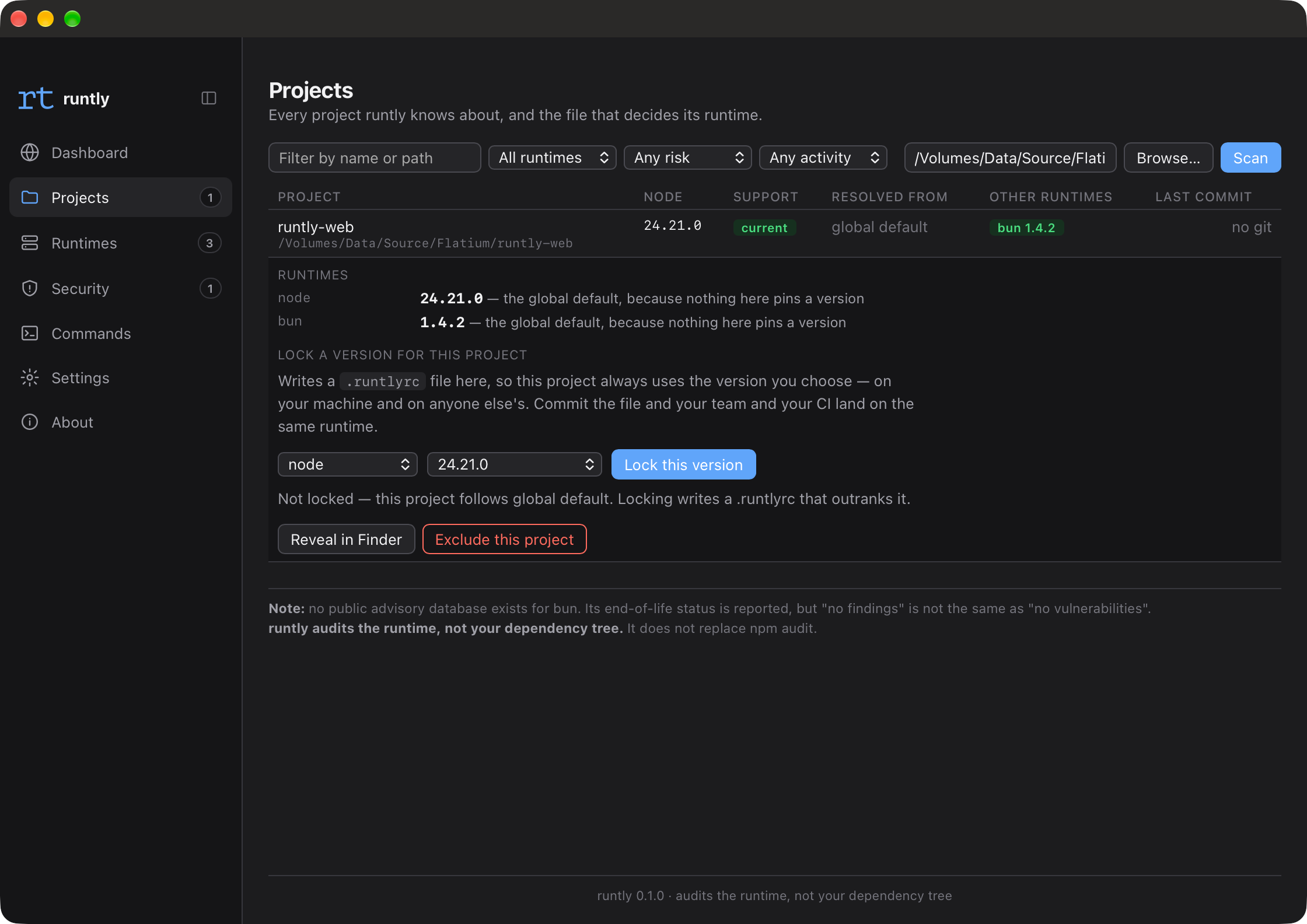
Projects
What each scanned project resolves to, and which file decided it.
06Limits
What it does not do
Overstated security coverage is worse than none, because it produces confidence that is not warranted. Three limits, stated plainly.
It audits the runtime, not your dependency tree
runtly reports on the Node, Bun and Deno versions your projects run on. It says nothing about the packages inside
node_modules. It does not replacenpm audit, and running it is not a substitute for running that.For Bun and Deno, "no findings" means "nobody publishes that data"
Neither project maintains a public advisory database of the kind that exists for Node. runtly reports their end-of-life status, and prints this warning itself rather than letting a clean report imply something it cannot know.
macOS only
Apple Silicon and Intel, macOS 10.15 and later. There is no Windows build and no Linux build, and none is promised.
07Free
Free, and closed source
A free closed-source developer tool raises one immediate question, so here is what the software actually does.
- No account, no sign-up, no licence key
- Download it and use it. There is nothing to register and nothing to activate.
- No telemetry and no analytics of any kind
- The app does not report anything about you or your machine, ever.
- The shim never touches the network
- The part that runs before every `node` invocation makes no network requests at all.
- Downloads are verified before they are unpacked
- Every runtime is checked against the publisher’s own SHA256. The app itself is signed and notarized by Apple, and ships as a universal binary.
The only network requests it makes, in full
- nodejs.org/distNode release downloads
- api.github.comBun and Deno release metadata
- GitHub release downloadsBun and Deno binaries
- registry.npmjs.orgpnpm and yarn
- endoflife.dateSupport calendars
- raw.githubusercontent.com/nodejs/security-wgThe Node.js advisory database
- api.osv.devOpen source vulnerability data
The same places you would fetch from by hand. Nothing else, to anywhere.
08Install
Install
Three paths, and they do not put the same things on your machine.
Download the app
The app and the command lineDrag it to Applications, open it, and press Set up now. The app installs the shims and configures your shell itself — no terminal needed at any point.
Homebrew
Either, depending on which line you runThe app and the CLI
$brew install --cask hieuhuynh93/tap/runtly-appThe CLI on its own
$brew install hieuhuynh93/tap/runtlyShell installer
The command line only — for servers and CI, where a window is meaninglessThe CLI
$curl -fsSL https://runtly.flatium.com/download | shThe CLI and the app
$curl -fsSL https://runtly.flatium.com/download | RUNTLY_WITH_APP=1 shIt downloads the same signed binaries, checks them against a published SHA256 before unpacking, and runs runtly setup for you.
The script it runs, if you would rather read it first: https://dl.runtly.flatium.com/install.sh
Whichever path you take, the end state is the same: ~/.runtly/bin on PATH, and rt doctor reporting green.